
Spreadsheets are where a lot of serious lifting starts. Once you care about progressive overload, you stop relying on memory and start tracking numbers, and a spreadsheet feels like the perfect training log: free, flexible, and built exactly the way you want.
You build your tabs, write your formulas, and map out the next twelve weeks. Then you take it to the gym.
Spreadsheets are built for a desk, not the gym floor. Below is a free spreadsheet strength log that handles the math for you, followed by an honest look at where spreadsheets break down and when an app makes more sense.
On this page
Get the Free SetLift Strength Log
Free, no sign-up, one file.
Workout log, automatic estimated 1RM, next-session weights, and a PR tracker. Pre-loaded with the exercises from our Push Pull Legs program.
Download the templateExcel file (.xlsx), 37 KB. For Google Sheets, upload it to Google Drive and open it with Google Sheets.
What's in the template
A lot of free fitness spreadsheets come with dozens of color-coded tabs before you've logged a single set. This one keeps only what you need to get stronger:
- Workout Log tab: one row per set with the date, workout, exercise, set number, weight, and reps. Exercises come from a dropdown, so names stay consistent month to month. Two columns are calculated for you:
- Est. 1RM: every set of 15 reps or fewer gets an estimated one-rep max using the Epley formula, the same one in our 1RM calculator.
- Next Session: on the last set of each exercise, the sheet tells you whether to add weight or keep it. It only says add weight when every set reached the top of your rep range, which is how double progression works.
- PRs tab: your heaviest weight, best estimated 1RM, and last training date for every exercise, updated automatically.
- Exercises tab: the exercises from our Push Pull Legs guide, plus flat bench and deadlift, each with its rep target and weight jump. Add your own or change the numbers to fit your program.
| Exercise | Set | Weight | Reps | Est. 1RM | Next Session |
|---|---|---|---|---|---|
| Incline bench | 1 | 135 | 6 | 162 | |
| Incline bench | 2 | 135 | 6 | 162 | |
| Incline bench | 3 | 135 | 6 | 162 | Add weight: 140 |
| DB bench | 1 | 60 | 12 | 84 | |
| DB bench | 2 | 60 | 11 | 82 | |
| DB bench | 3 | 60 | 10 | 80 | Same weight: 60 |
Incline bench hit the 6-rep target on every set, so the sheet says to add 5 lbs. Dumbbell bench missed 12 reps on two sets, so it says to stay at 60 and build reps.
Why Serious Lifters Start with Spreadsheets
A spreadsheet is a blank canvas. Whether you run an upper/lower split, a full-body program, or Push Pull Legs, you lay out the rows and columns to match your week exactly, and it costs nothing. Every number you log lives in a file you own: export it, chart it on a big screen, or keep ten years of deadlift numbers in one place.
The 5 Places Gym Spreadsheets Break Down
Spreadsheets work well when you're planning at a desk. Mid-workout, their limits show up fast.
1. Tiny cells, sweaty hands
At the gym you have a phone, chalky hands, and a minute or two between sets.
Hitting the right cell on a 6-inch screen takes precision. Tap slightly off and you select the wrong row, zoom the sheet, or open the formula bar instead of the number pad. Logging a set should take a few seconds. In a spreadsheet it can take twenty and pull your focus away from the next set.
2. Doing the math mid-workout
Progressive overload means knowing what you did last time and working out today's targets before you unrack the bar. If your program calls for 4 sets of 6 at 75% of your max, you have to calculate that weight yourself, and then figure out the plates.
Doing percentages in your head when you're tired leads to mistakes. Our 1RM calculator and plate calculator help, but copying those numbers back into a sheet adds another step to every exercise.
3. Formulas break mid-set
One stray tap can break a tracking sheet. Moving quickly between sets, it's easy to drag a cell, paste over a formula, or type a number where a calculation should be. Once a formula or lookup range breaks, the cells that depend on it show errors, and now you're troubleshooting a spreadsheet at the squat rack.
The free template shades its calculated columns so you know where not to type, but that only helps if you notice in the moment.
4. Your old PRs are hard to find
A spreadsheet keeps everything in one long list. Finding your best overhead press from eight weeks ago means scrolling through hundreds of rows or building lookup formulas. If you can't see what you did last time while you're standing at the rack, picking today's weight turns into a guess.
5. Hard logging leads to skipped logging
The best workout log is the one you actually keep using. Every bit of friction (zooming, fixing cells, doing plate math) adds up. When logging feels like paperwork, lifters start cutting corners: they log only the main lift, skip accessories, or stop tracking altogether. Without the numbers, progressive overload turns back into guesswork.
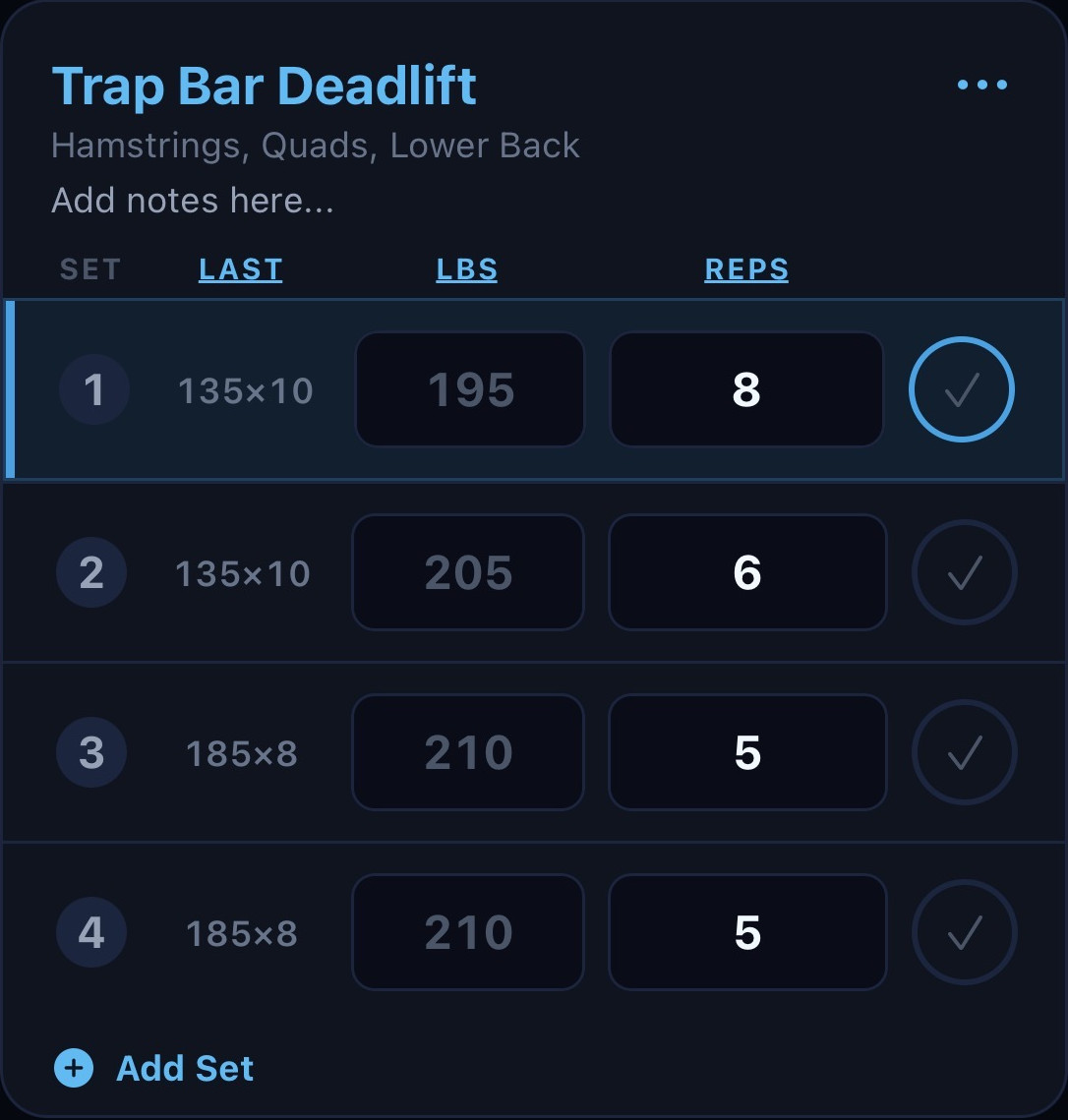
The spreadsheet logs your workout. SetLift does the math.
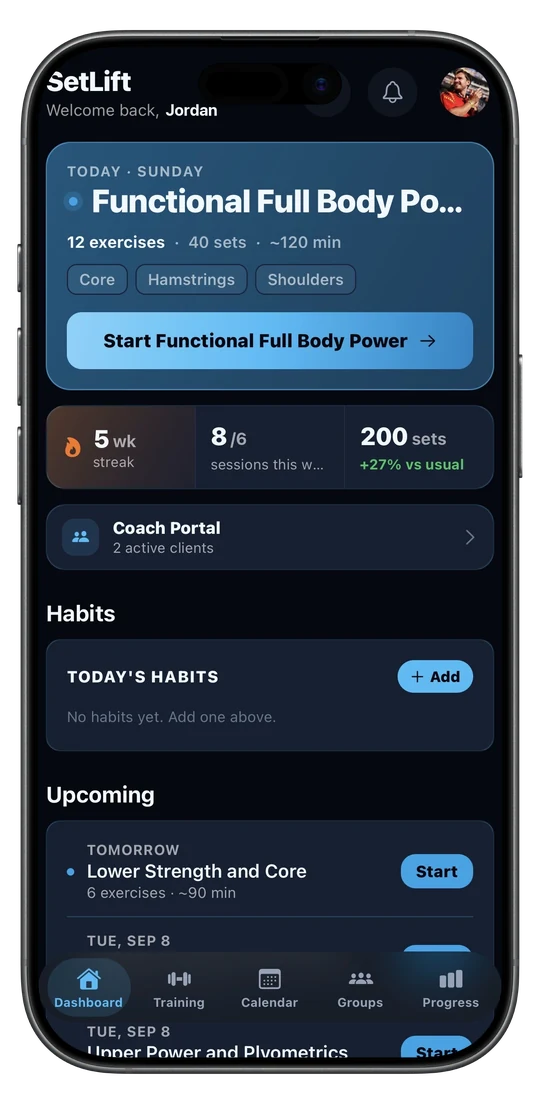
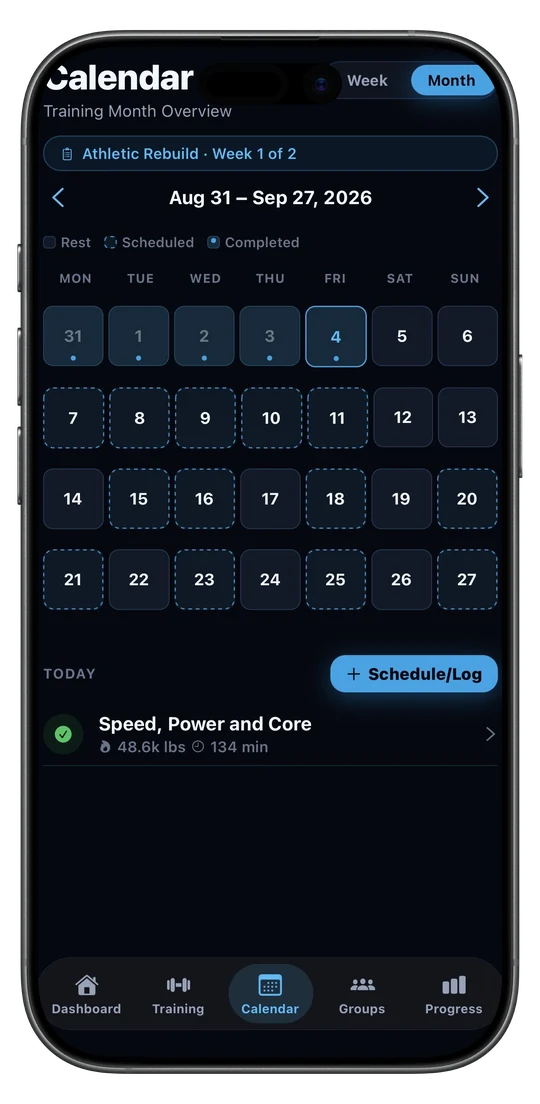
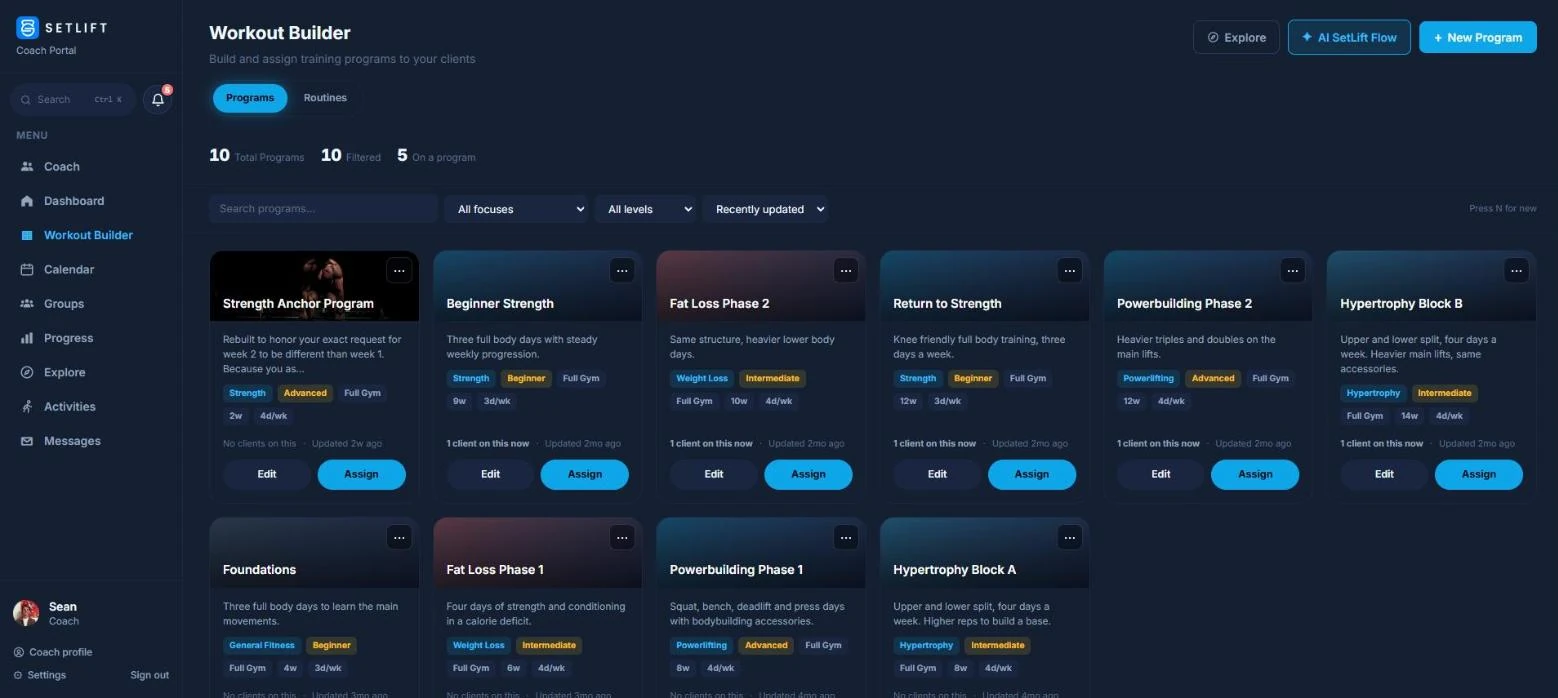
Build your routine on your computer with the web workout builder, log your sets on your iPhone, and SetLift suggests your next weight and reps based on your last session.
Get notified at launchSpreadsheet vs. SetLift
| Spreadsheet | SetLift | |
|---|---|---|
| Price | Free | Free tier + Pro tier |
| Setup | Build tabs and formulas, or start from a template | Web workout builder or ready-made Explore templates |
| Logging at the gym | Small cells, zooming, switching keyboards | Built for logging sets on your phone |
| Progressive overload | Formulas you write and maintain | Suggests next weight and reps from your last session |
| Deloads | You plan them yourself | Built into each block automatically |
| Estimated 1RM | Formula per row | Tracked automatically |
| PRs | Lookup formulas | PR tracking, badges, and streaks |
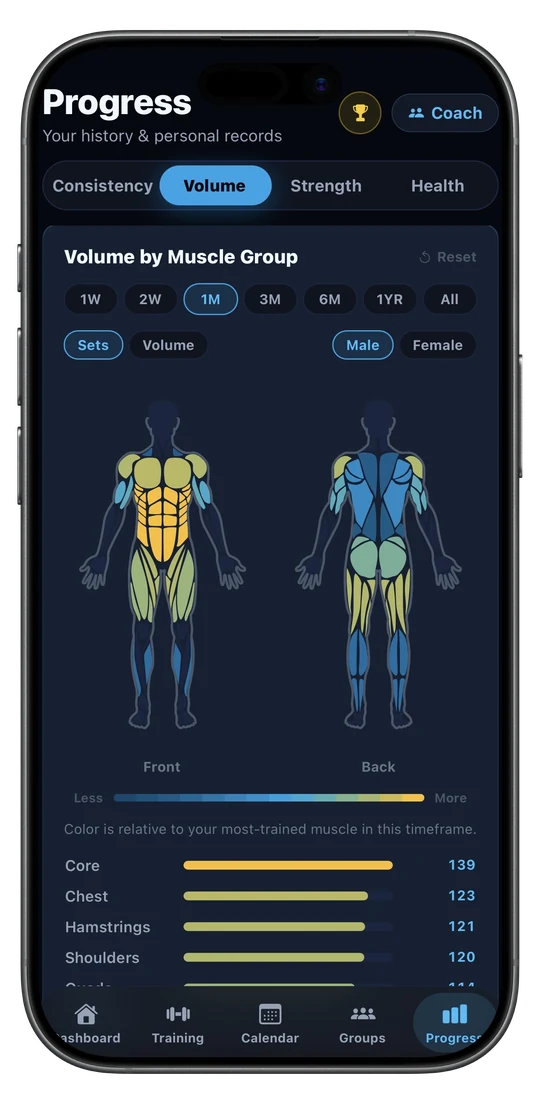
| Volume per muscle | Pivot tables you build | Muscle body-map heatmap and program recaps |
| Apple Health | No | Syncs with Apple Health |
Progression is the biggest difference. Instead of working out whether today's sets earn a weight jump, SetLift looks at how your last session went and suggests your next weight and reps for you.
How to Switch Without Losing Momentum
Moving from a spreadsheet to an app doesn't mean throwing away your history. Here's how to switch smoothly:
- Pull your current numbers. Open your spreadsheet on a computer and note your most recent working sets (weight and reps) and best estimated 1RM for your main lifts, like the squat, bench press, deadlift, overhead press, and row.
- Set up your routine. Use the web workout builder to lay out your exercises and rep targets on a full screen before you head to the gym.
- Log your first session at those numbers. That first workout becomes your starting point. From there, the app tracks your estimated 1RM and volume and suggests your next targets.
- Keep the spreadsheet as an archive and do your day-to-day logging in the app.
Keep your numbers. Lose the gym-floor hassle.
Bring your latest numbers across and let the app do the math from the first session.
Get notified at launchFree Tools for Lifters
Frequently Asked Questions
Is Google Sheets good for tracking workouts?
Google Sheets is great for planning a program, reviewing long-term trends, and building exactly the log you want at a desk. It gets harder at the gym, where you're tapping small cells on your phone between sets, risking accidental formula edits, and working out weights in your head.
How do I calculate progressive overload in a spreadsheet?
Use a formula that checks whether every set of an exercise reached the top of your rep range. For example, with a target of 8 to 12 reps, once all sets hit 12 the sheet tells you to add 5 lbs (2.5 kg) next session; otherwise it tells you to keep the same weight. Our free template does this for you on the last set of each exercise.
Can I move my spreadsheet history into a workout app?
You don't need your whole history to switch. Bring over your most recent working weights and reps for your main lifts, log your first session in the app at those numbers, and keep the spreadsheet as an archive you can look back on.
Why do lifters stop logging their workouts?
Usually because logging takes too much effort. When recording a set means zooming in on your phone, fixing broken formulas, or doing plate math between sets, tracking starts to feel like a chore and gets skipped.
Does the free template work in Excel?
Yes. The download is an Excel file, so it opens in Excel 2019 or newer, including Excel for Microsoft 365 (the PRs tab uses the MAXIFS function, which older versions lack). It also works in Google Sheets: upload it to Google Drive and open it with Google Sheets, then use it on your phone in the Sheets app.
This guide is for educational purposes only and is not medical advice. Check with a physician before starting an intense resistance training program.